The AMFS app is almost here
Your entire partner business in one app — share referral codes, track your seller pipeline and commissions, territory maps, training academy, support tickets, and more. Built for AMFS partners on the go.
Launching in
Coming soon on App Store and Google Play
Apply to become a partner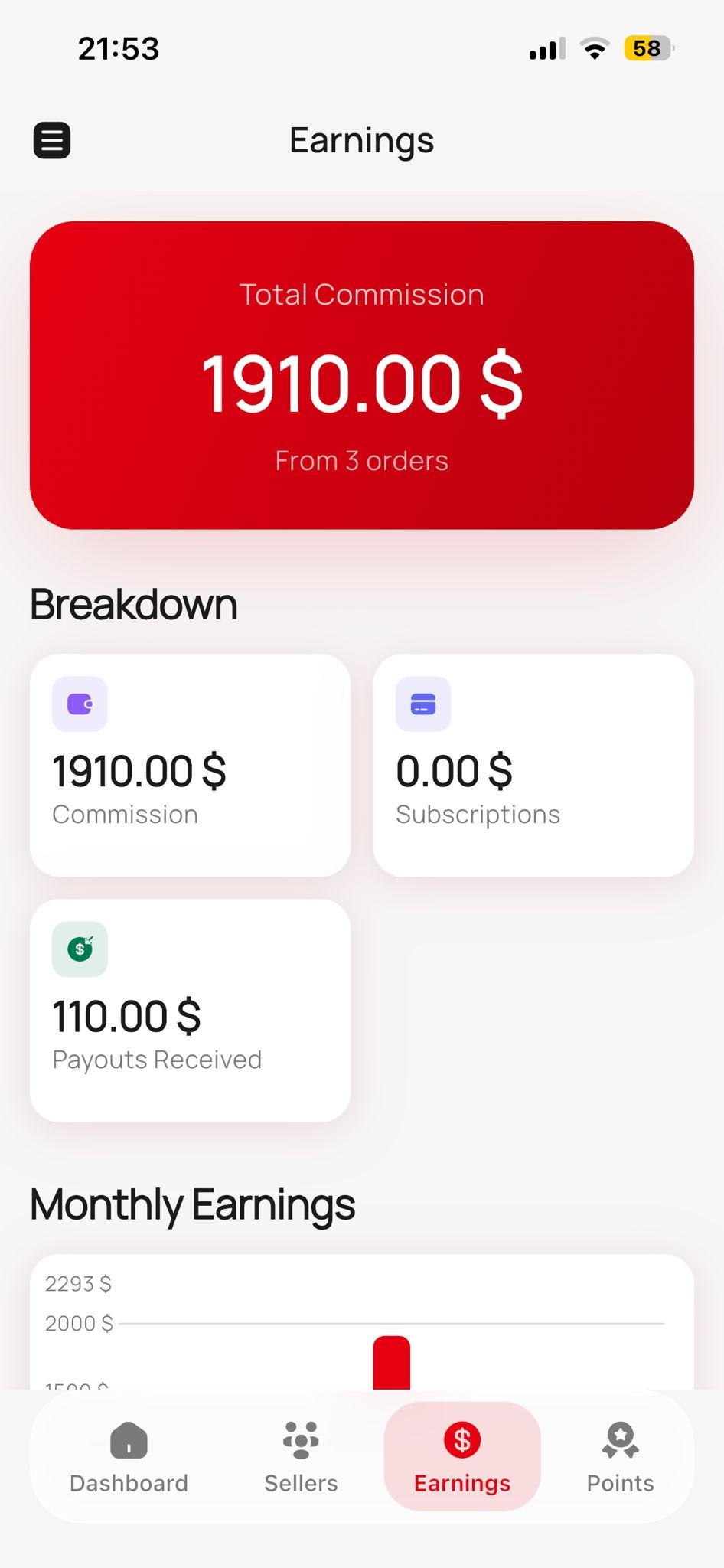

Everything the app can do — in detail
A deep dive into every feature of the AMFS Partner App. From your dashboard to your wallet, from training courses to territory maps — here's exactly what awaits you.
Dashboard — Your Business at a Glance
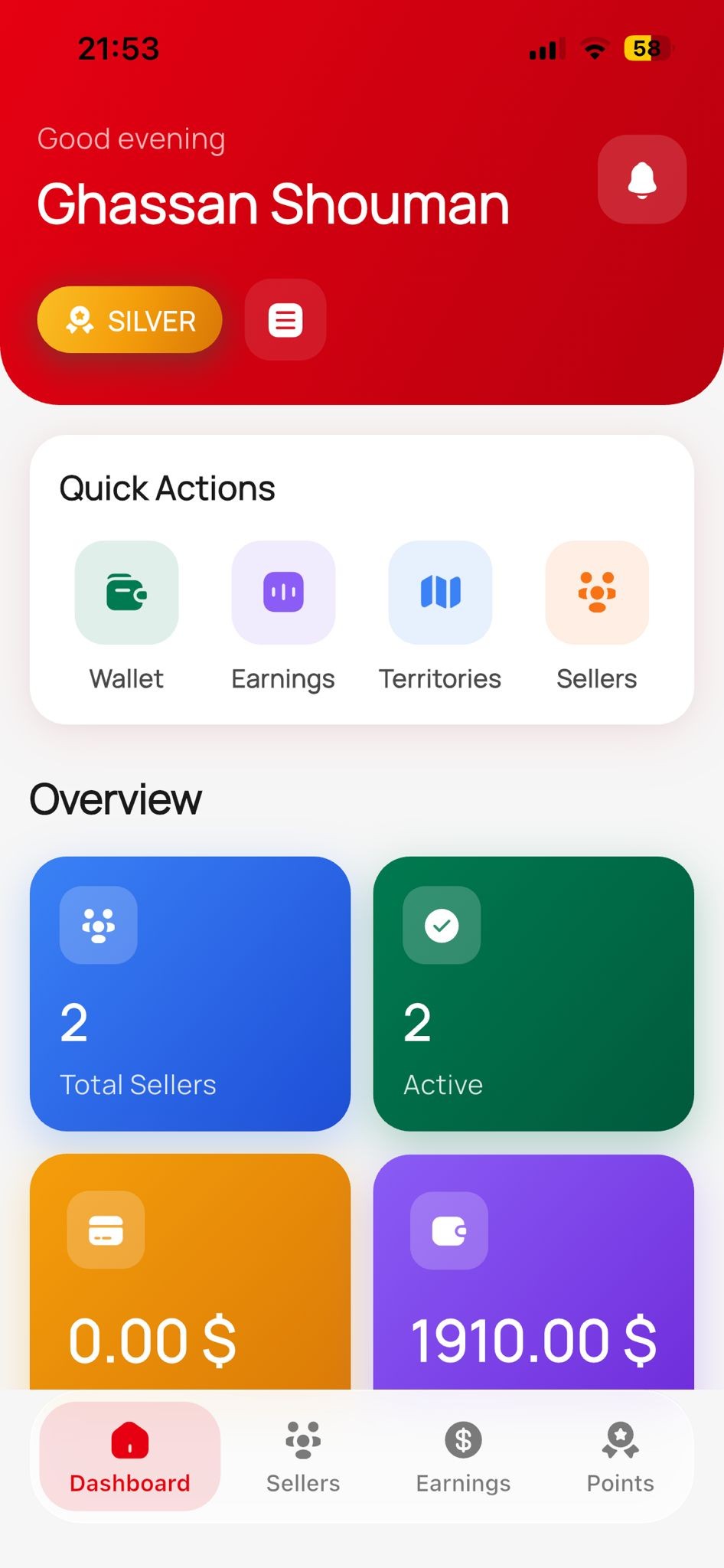
The dashboard is your command center. The moment you open the app, you see a live overview of your entire partner business: total earnings, active sellers, commission revenue, subscription income, and your current monthly targets. A revenue chart shows your 12-month performance with stacked bars for commissions vs. subscriptions. Quick-action buttons let you jump straight to any section without scrolling.
- Live stat cards: total sellers, total earnings, commission & subscription revenue
- 12-month interactive revenue chart with stacked bar breakdown
- Recent sellers list — sellers who joined via your referral code
- Quick-action buttons to jump to Earnings, Academy, Sellers, or Map
- Pull-to-refresh to get the latest data in seconds
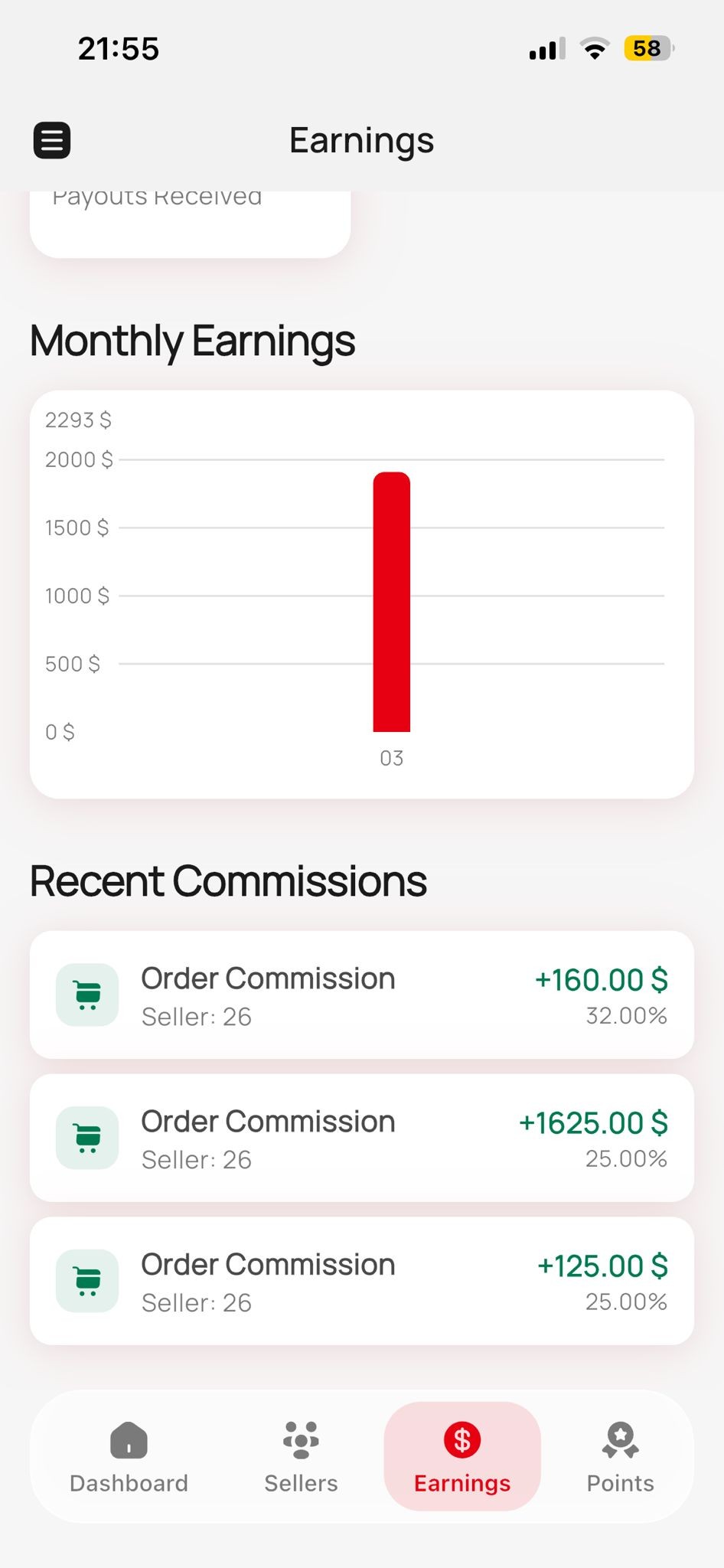
Earnings & Commissions
The earnings screen gives you full transparency into your income. See your lifetime total, then drill down into monthly breakdowns with an interactive stacked bar chart — commissions in one color, subscription revenue in another. Below the chart, a live list shows your most recent commissions: which seller generated it, the amount, date, and whether it's pending or already paid. No guessing, no spreadsheets — everything is tracked automatically.
- Lifetime earnings total displayed prominently
- Monthly stacked bar chart — commissions vs. subscription revenue
- Recent commissions list with seller name, amount, date & status
- Filter between pending and paid commissions
- Auto-updates in real time as your sellers make sales
Wallet & Payouts
Your wallet shows your real available balance — the money you can actually withdraw right now. Request a payout directly from the app in a simple multi-step flow: see your balance, enter the amount, choose your payout method (bank transfer), review the details, and confirm. Your full payout history is listed with dates, amounts, status (completed, pending, or failed), and the method used. No need to contact anyone — withdrawals are self-service.
- Available balance displayed prominently — know exactly what you can withdraw
- Multi-step payout request: amount → method → review → confirm
- Full payout history with status tracking (completed / pending / failed)
- Breakdown of commission vs. subscription earnings
- Payout via bank transfer in USD
Smart Notifications
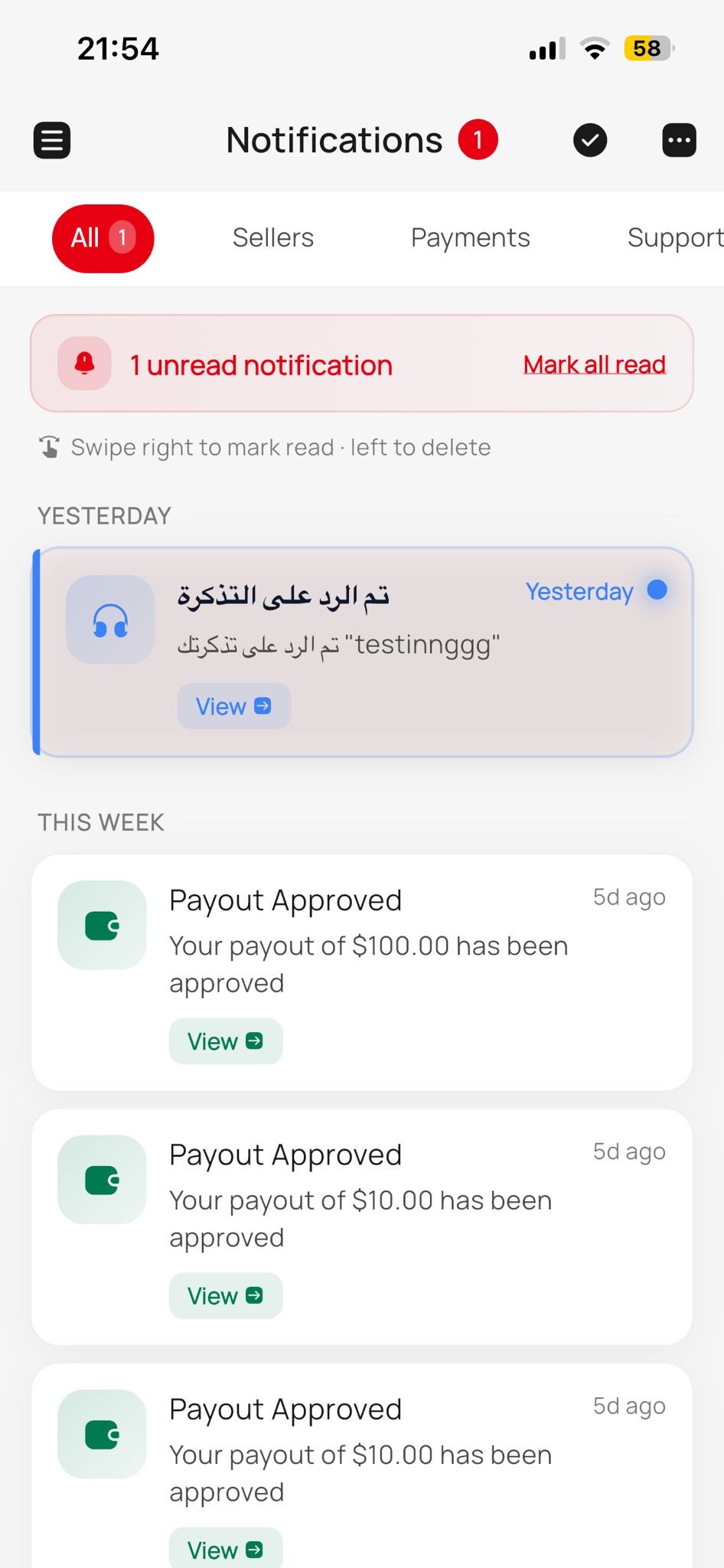
Never miss what matters. The notification center is organized into 5 tabs: All, Sellers, Payments, Support, and System. Each notification shows a type-specific icon, title, preview message, timestamp, and a read/unread indicator. Tap a notification to jump directly to the related item — a new seller, a payout update, a ticket reply, or a system announcement. Unread counts appear on the bell icon and per tab so you always know what's new.
- 5 organized tabs: All, Sellers, Payments, Support, System
- Instant push alerts for sales, commissions, and seller activity
- Tap any notification to jump directly to the related item
- Unread badge counter on the bell icon and per category
- Batch mark-as-read to clear notifications quickly
Academy — Training Courses
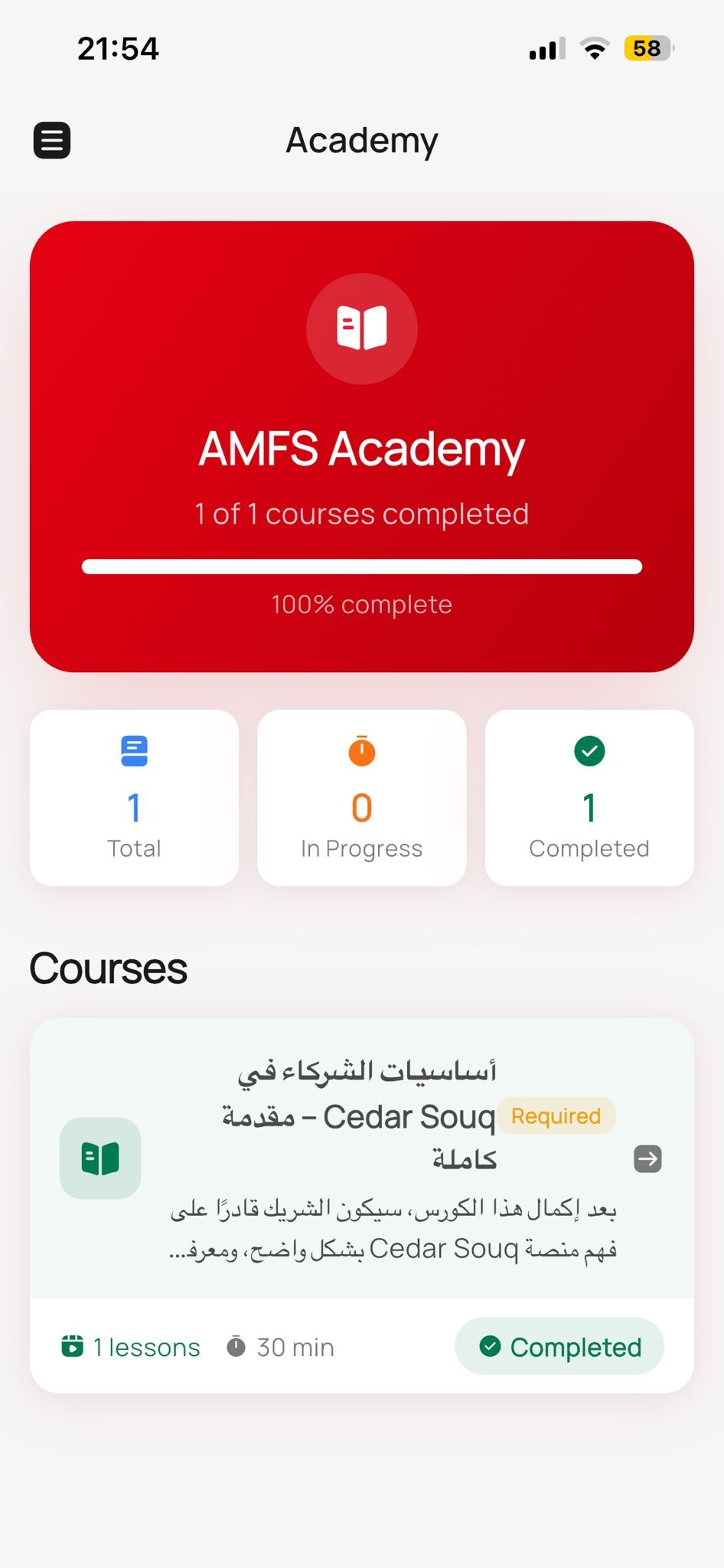
The AMFS Academy is a built-in learning platform that helps you become a better partner. Browse all available courses, see your progress percentage for each, and continue where you left off. Each course card shows the title, a short description, estimated duration, and your completion status. A stats row at the top shows how many courses you've started, completed, total lessons taken, and points earned. Training isn't optional — it's how you climb the ranks and unlock higher commissions.
- Full course catalog with progress bars for each course
- Learning stats: courses started, completed, lessons taken, points earned
- Course details with estimated time, instructor, and progress tracking
- Completion earns points that count toward your partner level
- Resume any course from exactly where you left off
Course Lessons & Quizzes
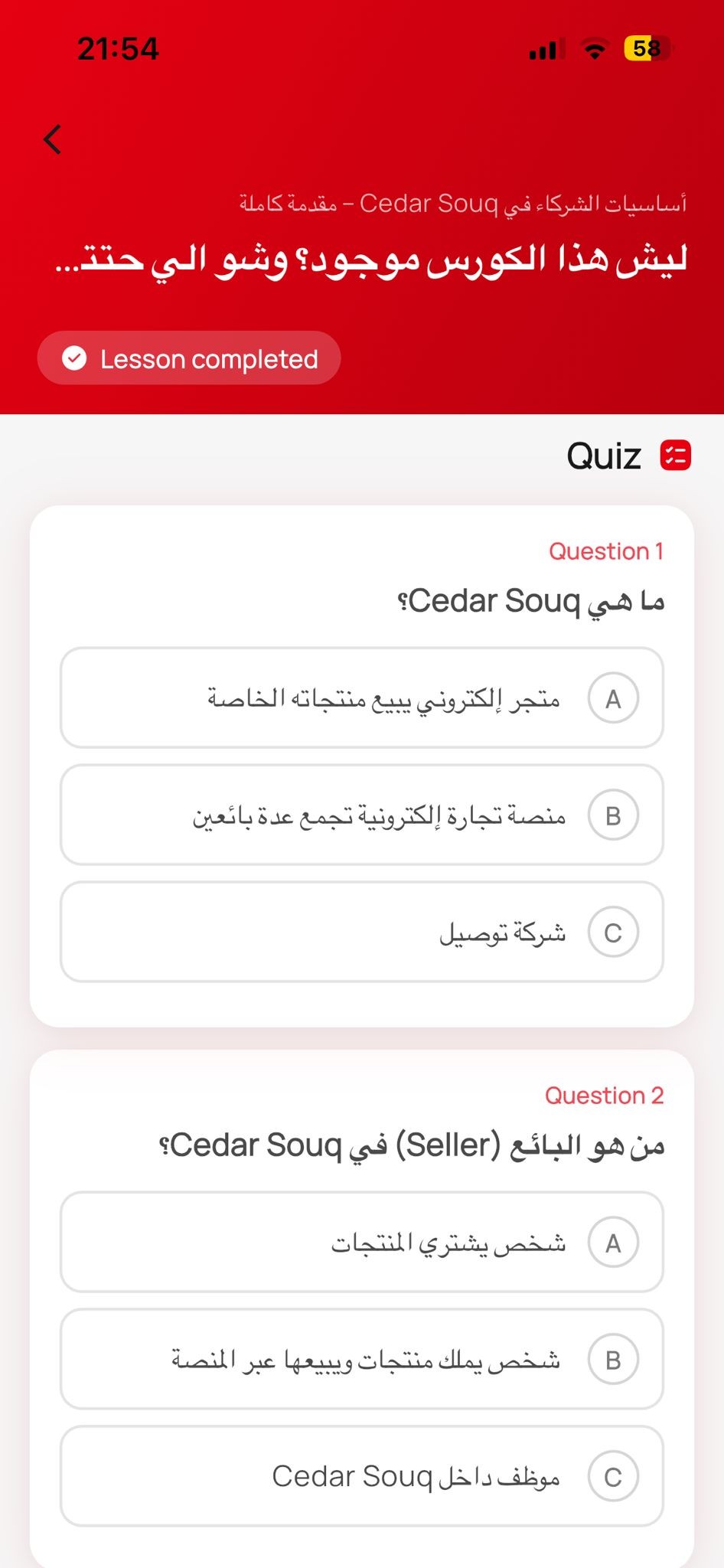
Each course is made up of individual lessons. Open a lesson to read the full content — formatted text, images, and embedded media. When you finish reading, the app transitions to a quiz. Answer multiple-choice questions (you need ≥70% to pass), see your score, and either pass or retry. Completed lessons are marked with a checkmark so you always know your progress. Passed quizzes automatically unlock the next lesson.
- Rich HTML lesson content with text, images & embedded media
- Built-in quiz after each lesson — multiple choice format
- 70% minimum score required to pass and progress
- Instant score display with pass/fail result
- Completed lessons marked with checkmarks in the course overview
Points & Partner Levels
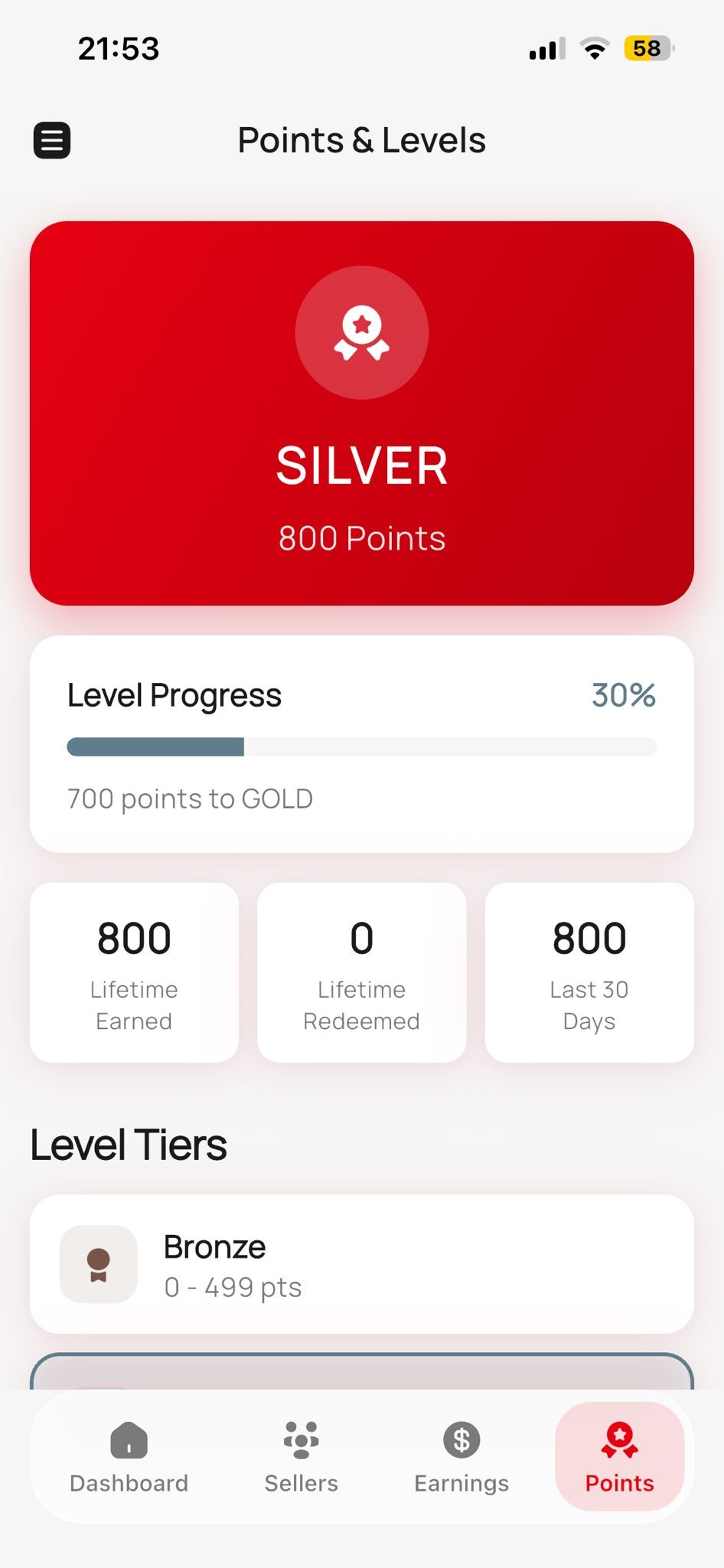
Everything you do earns points — completing courses, recruiting sellers, accuracy bonuses, and more. Your points determine your partner level: Bronze (0–499), Silver (500–1,499), Gold (1,500–2,999), Platinum (3,000–4,999), or Elite (5,000+). Each level unlocks better perks like higher commission percentages and VIP support. A visual progress bar shows exactly how close you are to the next level, and a recent events log tracks every point earned or deducted with the reason and date.
- 5 partner levels: Bronze → Silver → Gold → Platinum → Elite
- Visual progress bar showing points to next level
- Points earned from courses, sales, referrals & accuracy bonuses
- Each level unlocks higher commission rates and exclusive perks
- Detailed event log — see exactly when and why points were added
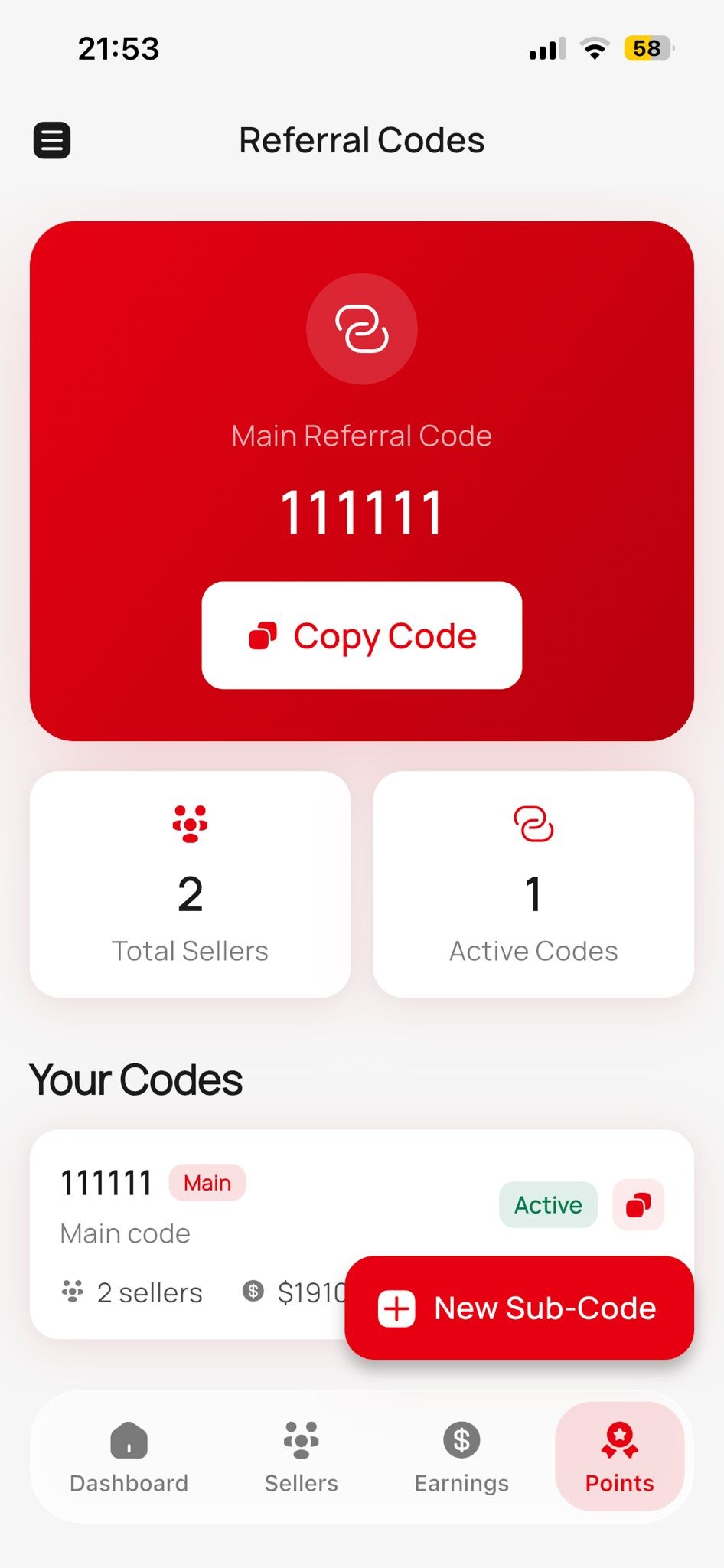
Referral Codes
Your primary referral code is displayed front and center, ready to copy or share with one tap. But that's just the start — you can create unlimited sub-codes for different campaigns, events, or regions. Each sub-code shows how many sellers were recruited through it, so you know which strategy works best. Label your codes (e.g. 'Spring Market' or 'Beirut Campaign') and track results per code in real time.
- Primary referral code with one-tap copy & share
- Create unlimited sub-codes for different campaigns
- Track exactly how many sellers each code recruited
- Label codes by campaign name or region
- Activate or deactivate codes anytime
Territory Map
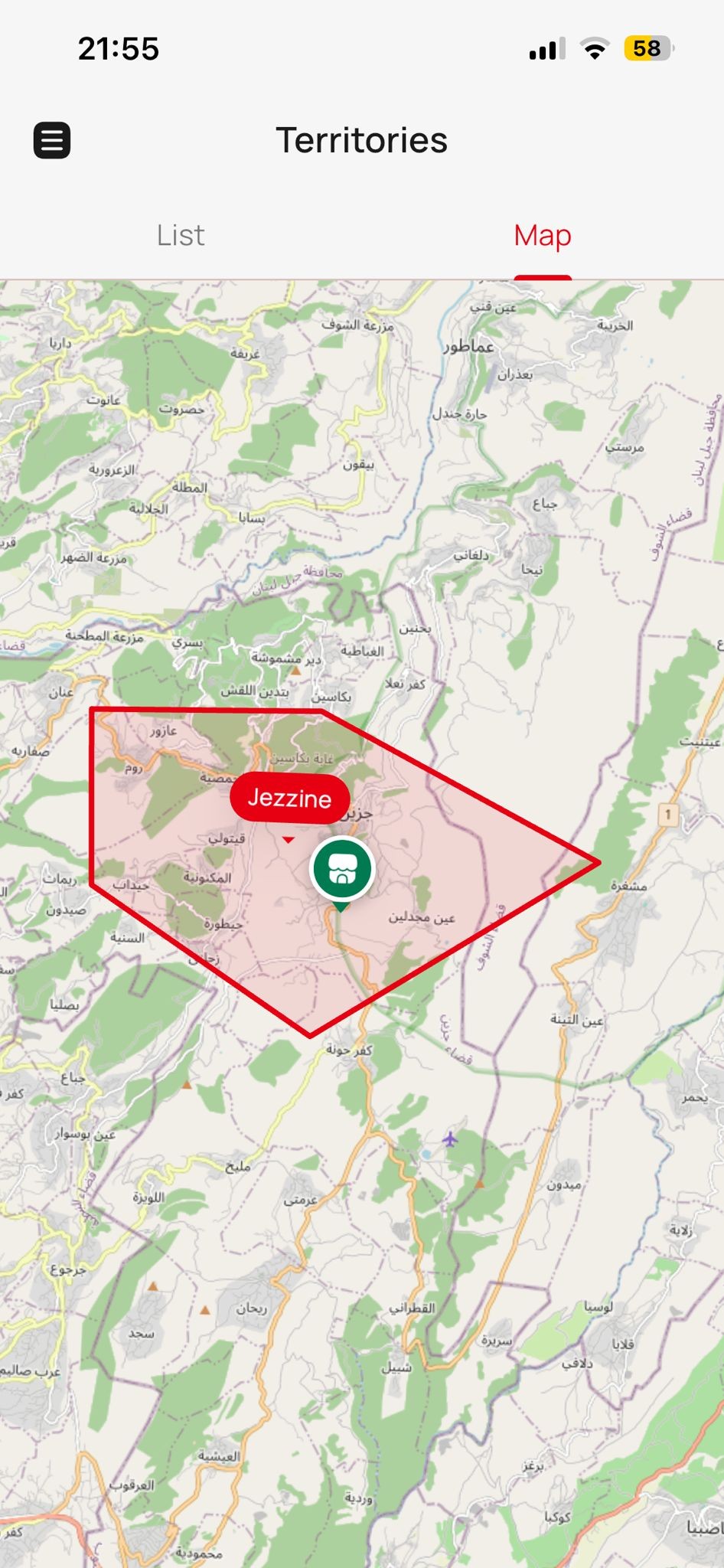
An interactive map shows your assigned territories with seller pins scattered across the region. Each pin represents a seller — tap it to see the shop name, status, and location. The map supports zoom, pan, and includes a legend showing pin types. Use it to identify gaps in coverage, find clusters of opportunity, and plan your expansion strategically. This is your bird's-eye view of where your business stands geographically.
- Interactive map with zoom, pan & seller pin markers
- Each pin shows shop name, status & location on tap
- Territory boundaries highlighted on the map
- Identify coverage gaps and opportunity clusters at a glance
- Color-coded pins by seller status or sales volume
Territory Overview
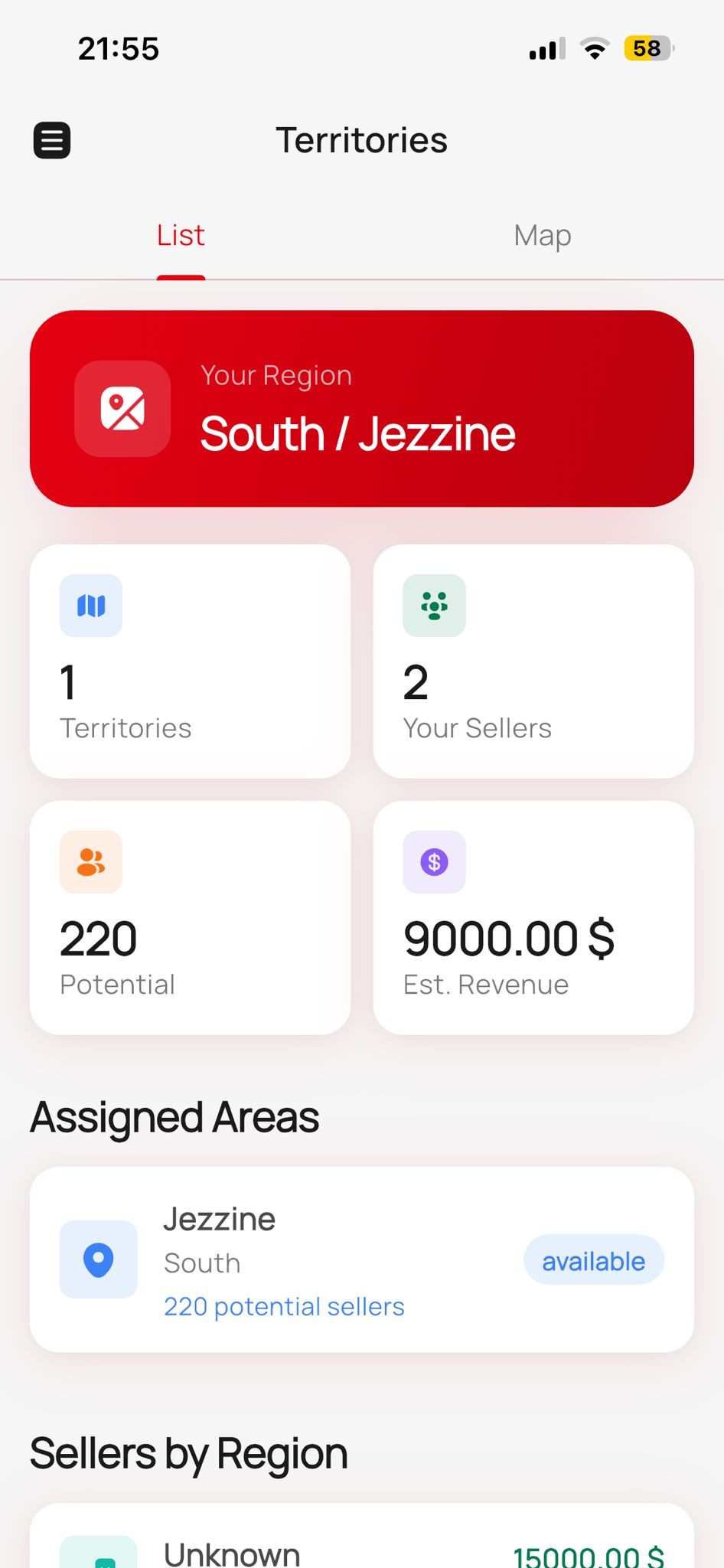
Switch from the map to the list view and see every territory broken down by numbers: seller count, total earnings, and coverage percentage. The summary header shows your total territories, total sellers across all regions, and combined territory earnings. Tap any territory to expand and see detailed region performance. This is where you measure how well each area is performing and where to focus next.
- List view with seller count, earnings & coverage per territory
- Summary header: total territories, total sellers, total earnings
- Tap to expand and see detailed region-level performance
- Coverage percentage shows sellers active vs. potential
- Switch between Map and List tabs instantly
Support Tickets
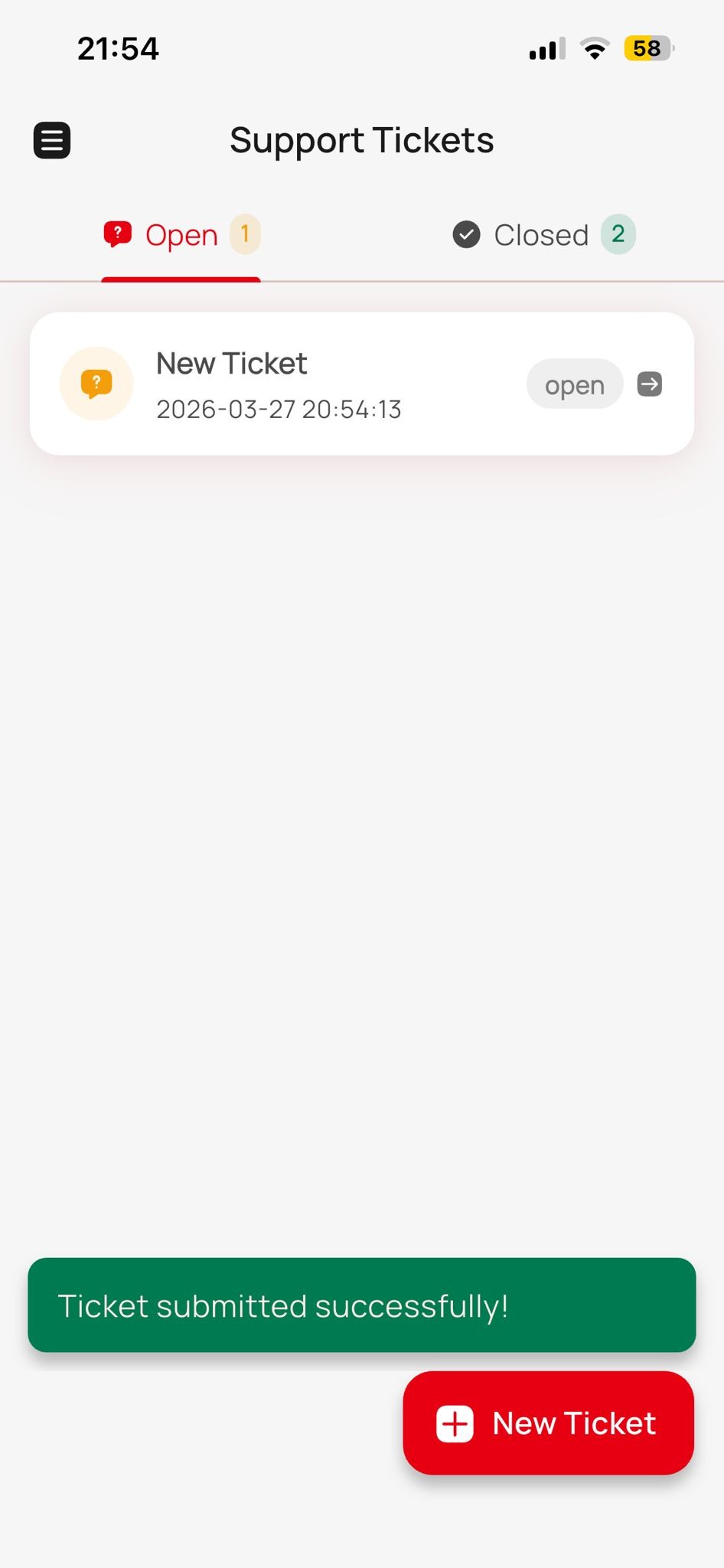
Need help? Open a support ticket right from the app. The tickets screen has two tabs — Open and Closed — so you always know what's pending and what's resolved. Each ticket shows the subject, status badge (open, in-progress, resolved, closed), last message date, and an unread indicator. Creating a new ticket is simple: add a subject, write your message, optionally attach files, and submit. You can track any ticket's progress without ever leaving the app.
- Two-tab view: Open (active) and Closed (resolved) tickets
- Create new tickets with subject, message & file attachments
- Status badges: Open → In Progress → Resolved → Closed
- Unread message indicator so you never miss a reply
- Full ticket history accessible anytime
Ticket Conversations
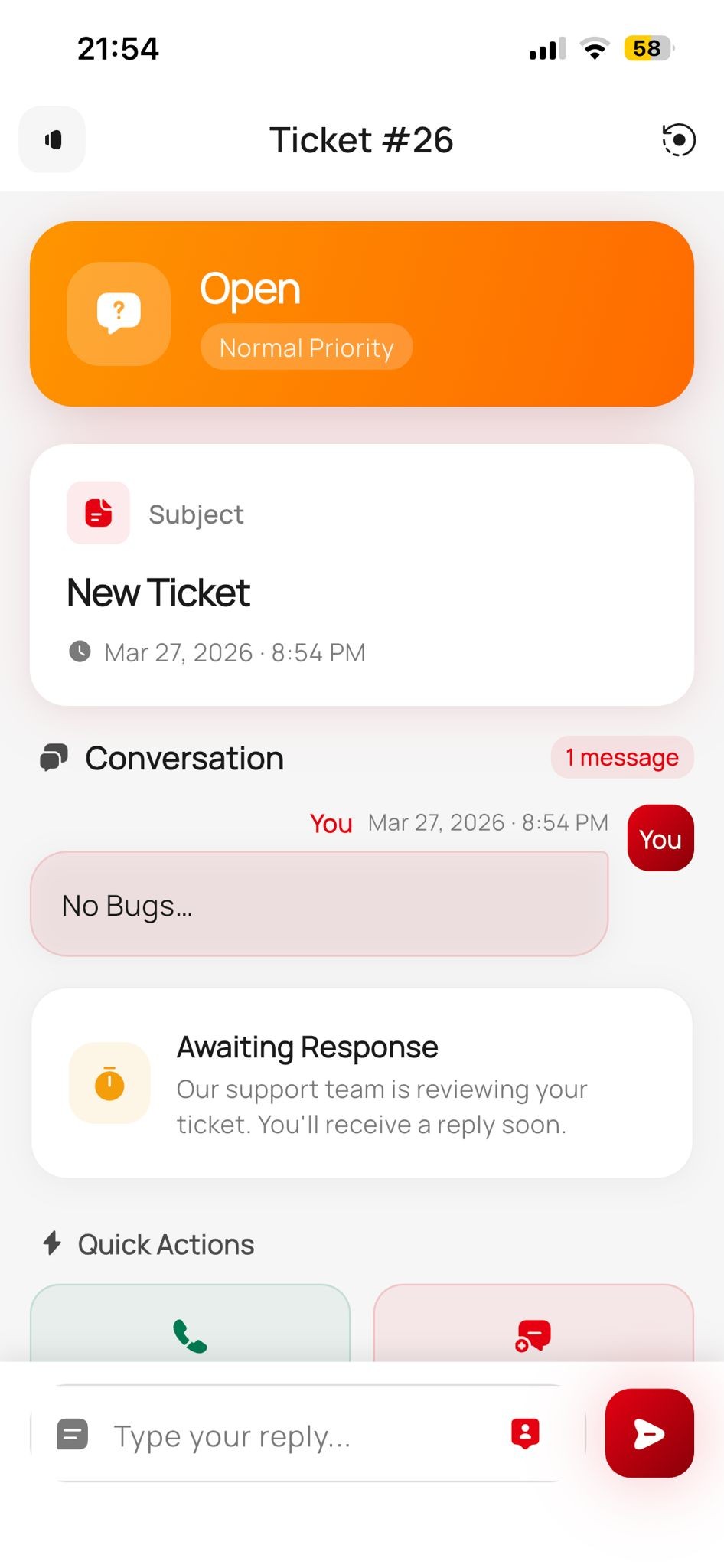
Open any ticket to see the full message thread — a chronological chat-style view with sender names, timestamps, and message content. Reply directly with the built-in composer, @mention sellers for context (with autocomplete), and attach files or images. The thread auto-scrolls to the latest message when new replies arrive. It's like having a direct line to the support team without switching apps.
- Chronological message thread with sender names & timestamps
- Reply directly from the app with a built-in text composer
- @mention sellers with autocomplete for quick context
- Attach files and images to any reply
- Auto-scrolls to the latest message when new replies arrive
Settings & Profile
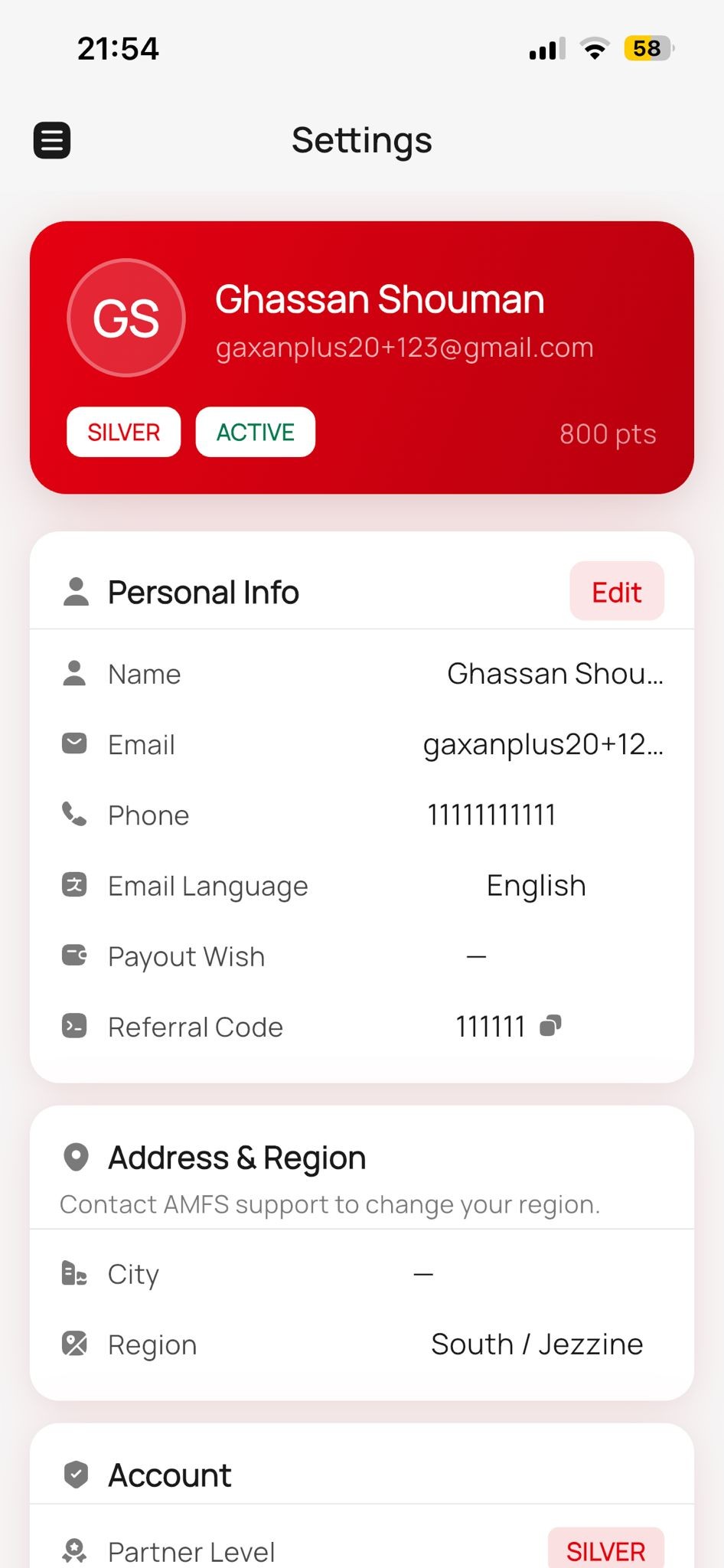
Your profile and account settings are all in one place. View your partner name, status, and account level at the top. Edit your personal details — name, email, phone, payout account number, and preferred language (English or Arabic). Access your signed documents with a built-in PDF viewer, manage notification preferences, and find direct links to privacy policy, terms of service, and FAQ. Everything about your account, controlled from one screen.
- Edit name, email, phone, payout account & language preference
- View and download signed documents with built-in PDF viewer
- Manage push and email notification preferences
- Quick links to Privacy Policy, Terms of Service & FAQ
- Secure logout with confirmation dialog
Download coming June 2026
The AMFS Partner App will be available on iOS (App Store) and Android (Google Play). Full native experience with push notifications, offline caching, and biometric login. Until then, the full web version is available now.